
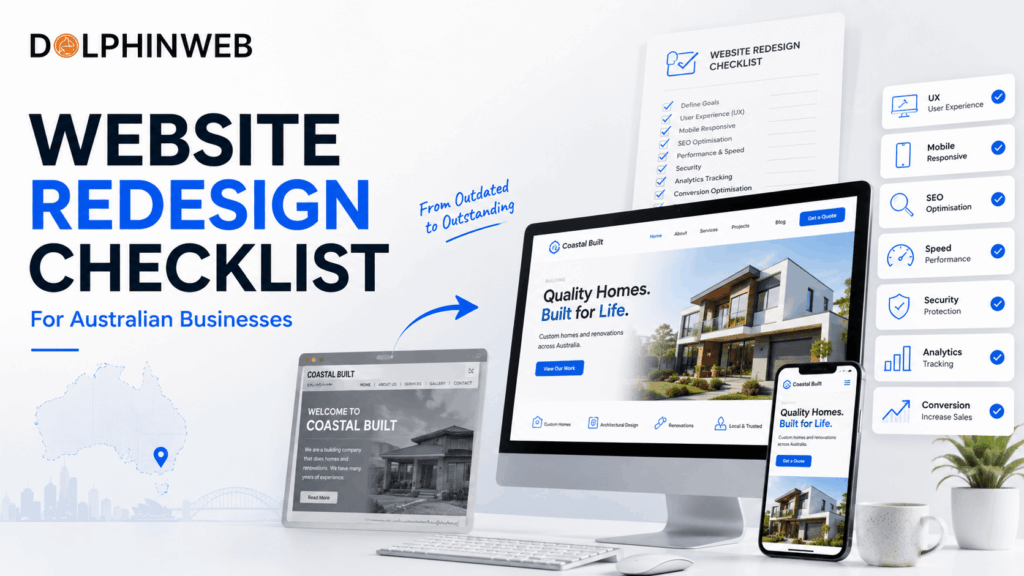
Website Redesign Checklist for Australian Businesses: 15 Steps
Your website may have looked great when it was first launched. But as your business grows, your customers change, your services evolve and technology improves, an outdated website can start holding your business back.
A website redesign isn’t simply about choosing a new colour palette or changing the homepage layout. A successful redesign should improve user experience, performance, SEO, accessibility, security and conversions.
If you’re planning a website redesign, this Website Redesign Checklist for Australian Businesses will help you identify what needs to be reviewed before, during and after the project.
When Should an Australian Business Redesign Its Website?
You don’t necessarily need a redesign just because your website is a few years old.
However, it may be time to consider one if:
- Your website isn’t mobile-friendly.
- Pages load slowly.
- Your design looks outdated.
- Visitors struggle to find information.
- Your website generates few enquiries.
- Your business has changed significantly.
- Your website is difficult to update.
- Your SEO performance has declined.
- Your competitors have significantly better online experiences.
- Your website doesn’t reflect your current brand.
If several of these problems apply to your website, a redesign could be a worthwhile investment.
Australian businesses can also review the Australian Government’s guidance on online and digital business activities when planning improvements to their website and digital strategy.
Website Redesign Checklist
Before starting your project, review these 15 areas.
| Checklist Item | Priority |
|---|---|
| Business Goals | ✅ |
| Target Audience | ✅ |
| Website Analytics | ✅ |
| Competitor Research | ✅ |
| Content Audit | ✅ |
| SEO Audit | ✅ |
| Mobile UX | ✅ |
| Website Speed | ✅ |
| Navigation | ✅ |
| Conversion Strategy | ✅ |
| Branding | ✅ |
| Security | ✅ |
| Accessibility | ✅ |
| Technical SEO | ✅ |
| Testing & Launch | ✅ |
Use this Website Redesign Checklist for Australian Businesses as a practical reference throughout your project.
Define Your Website Redesign Goals
Don’t start with design.
Start with business objectives.
Ask yourself:
- Do you need more enquiries?
- Do you want more online sales?
- Are you trying to improve local SEO?
- Do you need to improve your brand image?
- Is your current CMS difficult to manage?
- Do you want to improve mobile conversions?
Your goals should be measurable.
For example:
Increase qualified website enquiries by 30% within six months.
This gives your redesign a clear purpose.
Understand Your Target Customers
A website should be designed around the people using it—not the preferences of the business owner.
Identify:
- Who are your ideal customers?
- What problems are they trying to solve?
- What information do they need before contacting you?
- What objections might prevent them from buying?
- What makes them choose one business over another?
For Australian businesses, consider whether your website needs to communicate local information such as service areas, Australian contact details, locations and region-specific services.
A strong Website Redesign Checklist for Australian Businesses should also consider how clearly the website communicates local relevance and customer needs
Review Your Website Analytics
Before removing pages or changing your structure, understand what’s already working.
Review:
- Most visited pages
- Traffic sources
- Top landing pages
- Conversion rates
- Enquiry sources
- Mobile versus desktop traffic
- User engagement
- Exit pages
Google Analytics can help you understand how visitors interact with your website.
A strong Website Redesign Checklist for Australian Businesses should also consider how clearly the website communicates local relevance and customer needs
Don’t redesign based entirely on assumptions. Use your existing data wherever possible.
Analyse Your Competitors
Look at competitors—not to copy them, but to identify opportunities.
Review:
- Homepage messaging
- Services
- Navigation
- Pricing information
- Calls-to-action
- Reviews
- Case studies
- Mobile experience
- Page speed
- Content quality
Ask:
What can our website communicate better than competitors?
Your redesign should create a clearer reason for customers to choose your business.
Audit Your Existing Content
A redesign is an excellent opportunity to remove outdated content.
Review every important page.
Keep content that is:
- Useful
- Accurate
- Relevant
- Performing well
- Aligned with customer needs
Update or remove content that is:
- Outdated
- Duplicate
- Thin
- No longer relevant
- Targeting the wrong audience
Don’t automatically delete old pages. Some may have valuable SEO rankings or backlinks.
Protect Your Existing SEO
One of the biggest mistakes businesses make during a redesign is treating SEO as an afterthought.
Your redesign should preserve important SEO assets.
Before launch, document:
- Existing URLs
- Organic traffic
- Important keywords
- Ranking pages
- Metadata
- Internal links
- Backlinks
- XML sitemap
- Indexed pages
If URLs are changing, create appropriate 301 redirects from old URLs to relevant new URLs.
A visually better website isn’t a successful redesign if it loses valuable organic traffic.
Protecting existing search visibility should always be included in your Website Redesign Checklist for Australian Businesses.
Make the Website Mobile-Friendly
Your website needs to work properly across smartphones, tablets and desktop computers.
Check:
- Text size
- Button sizes
- Navigation
- Forms
- Images
- Spacing
- Page layouts
- Menus
- Checkout processes
Don’t simply shrink the desktop design for mobile.
Design the mobile experience intentionally.
Improve Website Speed
A redesign is a perfect opportunity to improve performance.
Review:
- Image sizes
- Image formats
- JavaScript
- CSS
- Fonts
- Hosting
- Plugins
- Third-party scripts
- Caching
You can use Google PageSpeed Insights to evaluate website performance and identify opportunities for improvement.
Fast websites provide a better experience and can support stronger conversion performance.
Simplify Your Navigation
Visitors shouldn’t have to work to find important information.
Your navigation should make key pages easy to reach.
For a typical service business, this could include:
Home → Services → About → Portfolio/Case Studies → Blog → Contact
Avoid unnecessarily complicated menus.
The goal is simple:
Help visitors find what they need with as little friction as possible.
Improve Your Calls-to-Action
Every important page should guide visitors towards the next step.
Examples include:
- Get a Free Quote
- Request a Consultation
- Book a Call
- Contact Our Team
- Get Started
- Request a Proposal
Don’t use the same CTA blindly everywhere.
Match the CTA to the visitor’s intent.
For example, an educational blog article might use:
Need help improving your website? Book a consultation.
A service page might use:
Request a Free Quote
Strengthen Your Trust Signals
Customers want to know they can trust your business.
Consider adding:
- Customer reviews
- Testimonials
- Case studies
- Client logos
- Awards
- Certifications
- Industry memberships
- Before-and-after examples
- Clear business contact details
For Australian businesses, displaying relevant local information can also help establish credibility.
Review Your Branding
Your website should accurately represent your business today.
Review:
- Logo
- Colours
- Typography
- Photography
- Graphics
- Brand messaging
- Tone of voice
Ask:
Does this website look like the quality of business we want customers to perceive?
If your business has grown but your website still looks like a small startup website, your digital presence may no longer match your positioning.
Review Security and Privacy
Security should be part of your redesign from the beginning.
Review:
- SSL/HTTPS
- CMS updates
- Plugins
- Password security
- User permissions
- Backups
- Forms
- Spam protection
- Hosting security
If your website collects customer information through enquiry forms, consider how that information is stored and protected.
Australian businesses should also consider applicable privacy obligations and data protection practices.
Australian businesses can also refer to the Australian Cyber Security Centre for practical guidance on protecting business systems and customer information.
Check Accessibility
Your website should be usable by as many people as possible.
Review:
- Colour contrast
- Keyboard navigation
- Image alt text
- Form labels
- Heading structure
- Link descriptions
- Text readability
- Focus states
Accessibility isn’t just a technical requirement. It can also create a better experience for everyone using your website.
Australian businesses should also consider accessibility when redesigning their websites. The Australian Human Rights Commission provides information about accessibility and discrimination obligations in Australia.
Test Everything Before Launch
The final stage of your Website Redesign Checklist for Australian Businesses should be a complete pre-launch review.Never launch a redesigned website without comprehensive testing.
Create a pre-launch checklist covering:
Functionality
- Contact forms
- Buttons
- Navigation
- Search
- Links
- Menus
- Checkout
- Booking systems
SEO
- Page titles
- Meta descriptions
- H1 headings
- Canonical URLs
- Sitemap
- Robots.txt
- Redirects
- Structured data
Performance
- Mobile speed
- Desktop speed
- Image optimisation
- Core Web Vitals
Tracking
- Google Analytics
- Google Search Console
- Conversion tracking
- Form submissions
Test the website on multiple browsers and devices before launch.
Website Redesign Launch Checklist
Before making your new website live, make sure you’ve completed these tasks:
| Task | Done |
|---|---|
| Website backup completed | ✓ |
| Redirects configured | ✓ |
| Forms tested | ✓ |
| Mobile testing completed | ✓ |
| Desktop testing completed | ✓ |
| SEO metadata checked | ✓ |
| Sitemap submitted | ✓ |
| Analytics installed | ✓ |
| Search Console verified | ✓ |
| Broken links checked | ✓ |
| Page speed tested | ✓ |
| Security checked | ✓ |
| Final content proofread | ✓ |
| CTA buttons tested | ✓ |
Common Website Redesign Mistakes
Avoid these common mistakes:
Redesigning Without Clear Goals
A new design isn’t automatically a better business website.
Ignoring SEO
Deleting high-performing pages without a migration plan can cause significant traffic loss.
Designing Only for Desktop
Your mobile experience deserves equal attention.
Focusing Only on Appearance
A beautiful website can still have poor navigation and low conversions.
Changing URLs Without Redirects
Broken URLs can create poor user experiences and SEO problems.
Forgetting Analytics
If you don’t track results, you won’t know whether the redesign actually improved performance.
How Much Does a Website Redesign Cost in Australia?
Website redesign costs vary significantly depending on the scope of the project.
Factors include:
- Number of pages
- Custom design requirements
- UX research
- Copywriting
- SEO
- Development complexity
- CMS
- Ecommerce functionality
- Integrations
- Migration requirements
- Ongoing support
Instead of choosing a redesign based only on the lowest price, consider the potential business return.
A website that generates more qualified enquiries can provide significantly more value than a cheaper website that simply looks good.
Website Redesign Checklist for Australian Businesses: Final Review
Before approving your new website, ask:
Business
- Does the website support our business goals?
- Is our value proposition clear?
UX
- Can visitors find information quickly?
- Is the journey simple?
Mobile
- Does everything work properly on smartphones?
SEO
- Are existing rankings protected?
- Are redirects correctly configured?
Performance
- Does the website load quickly?
Conversions
- Are calls-to-action clear?
- Are enquiry forms easy to complete?
Trust
- Are testimonials and credibility signals visible?
Technical
- Are security, analytics and backups configured?
If you can answer yes to these questions, you’re much closer to a successful redesign.
Frequently Asked Questions
How often should a business redesign its website?
There is no fixed timeframe. A redesign should be considered when your website no longer supports your business goals, customer expectations, technology requirements or performance objectives.
How long does a website redesign take?
The timeline depends on the website's size and complexity. A small business website may require considerably less time than a large ecommerce website with complex integrations and content migration.
Will a website redesign affect SEO?
It can. Changes to URLs, content, navigation and technical configuration can affect organic search performance. Proper SEO planning, URL mapping and redirects can help protect existing rankings.
Should small businesses invest in UX?
Yes. Even small UX improvements can significantly increase enquiries, conversions, and customer satisfaction.
Should I redesign my website or build a new one?
If the existing website has a suitable technical foundation, a redesign may be enough. If the platform, structure or code creates major limitations, rebuilding may be more practical.
Is mobile optimisation important for Australian businesses?
Yes. Customers increasingly interact with businesses through mobile devices, so mobile usability should be an essential part of any modern website redesign.
Related Reading
Ranking on Google is only the first step. Once visitors reach your website, your focus should be on turning them into enquiries and customers.
Continue reading:
- How to Turn Website Visitors Into Paying Customers – Learn 12 proven conversion strategies to increase leads and sales.
- Why Is My Website Not Getting Any Enquiries? – Find out why your website isn’t converting visitors into enquiries.
- SEO vs Google Ads: Which Is Better for Small Businesses? – Compare SEO and Google Ads to understand which strategy can help your small business generate traffic, leads and long-term growth.
Final Thoughts
A successful website redesign is about much more than creating a modern-looking homepage.
It’s an opportunity to improve the entire digital experience—from navigation and mobile usability to SEO, speed, security and conversion optimisation.
For Australian businesses, the best redesign strategy starts with your customers and business goals rather than visual trends.
Following a Website Redesign Checklist for Australian Businesses helps ensure that important areas such as SEO, UX, performance, security and conversions are not overlooked.
Use this Website Redesign Checklist for Australian Businesses before starting your project, and you’ll have a much stronger foundation for building a website that attracts visitors, builds trust and generates more enquiries.
Ready for a Website Redesign?
Your website should do more than look professional—it should help your business grow.
DolphinWeb helps Australian businesses create modern, user-focused websites designed around performance, SEO and conversions.
If your current website feels outdated, difficult to use or isn’t generating enough enquiries, it may be time for a redesign.